The shortlist
If you need to structure a decision with trees, influence diagrams or weighted criteria, start with PrecisionTree, TreeAge Pro and Analytica, which cover the widest mix of decision modeling methods on this list. The shortlist is written for analysts, consultants and strategy teams who must choose between Excel add-ins, standalone modeling environments and preference-elicitation software. Each entry states what the vendor documents, who it is aimed at and where its documented scope ends.
Tool details

#1 · Lumivero (Palisade)
PrecisionTree
Decision analysts who work in Excel
lumivero.comPrecisionTree is a Lumivero Excel add-in for building and analyzing decision trees and influence diagrams for probabilistic decision analysis. It works entirely inside Excel.
Documented strengths
- Decision trees and influence diagrams in Excel
- Payoff and probability shown for each path
- Risk Profile graphs comparing payoffs and risk of options
- Sensitivity, tornado, spider, policy suggestion and strategy-region graphs
- Chance nodes can be flipped using Bayes' Rule
Documented limits
Documented for tree and influence-diagram analysis in Excel; it is not described as a multi-criteria prioritization tool. Teams that need weighted-criteria scoring should check the vendor documentation.
- Who it is for
- Decision analysts who work in Excel
- Platforms
- Microsoft Excel add-in
- Pricing
- See the vendor's own pricing page for current plans and costs. lumivero.com
- Facts checked
- 21 November 2026
Why it made the list: It opens the list because it covers both trees and influence diagrams with a full set of sensitivity outputs, inside the spreadsheet most analysts already use.

#2 · TreeAge Software
TreeAge Pro
Health economics, legal and business decision modeling

TreeAge Pro is visual decision modeling and analysis software for health economics, healthcare decision-making and legal case analysis. It supports several model types in one framework.
Documented strengths
- Decision trees, Markov models and simulation models in one framework
- Cost-effectiveness and Markov cohort analysis
- 1-way, 2-way and tornado sensitivity analysis
- Probabilistic sensitivity analysis with acceptability curves and ICE scatterplots
- Interactive models shared over the web through TreeAge Pro Web
Documented limits
The product line is split into a Healthcare edition and a Business edition, and its documentation leans toward health economics and legal analysis. Check the vendor documentation for how well the Business edition fits your method.
- Who it is for
- Health economics, legal and business decision modeling
- Platforms
- Not stated on official pages (web sharing via TreeAge Pro Web)
- Pricing
- See the vendor's own pricing page for current plans and costs. treeage.com
- Facts checked
- 21 November 2026
Why it made the list: It sits second because it puts decision trees, Markov, partitioned survival, patient simulation and discrete event simulation models in a single environment, which is the widest set of model types here.

#3 · Lumina Decision Systems
Analytica
Visual, probabilistic models for analysts and consultants
lumina.comAnalytica by Lumina Decision Systems is a visual decision-modeling tool built on influence diagrams and Monte Carlo simulation. Models can be built without coding expertise.
Documented strengths
- Influence diagrams linking decisions, uncertainties and objectives
- Monte Carlo simulation to evaluate risk and uncertainty
- Intelligent arrays for multidimensional tables
- Optimization, regression, forecasting and system dynamics with feedback loops
- Assista, an AI collaborator that builds a model with the user
Documented limits
Documented around influence diagrams and simulation rather than decision-tree notation. Building models for server deployment needs the Developer edition, so check the vendor documentation for edition details.
- Who it is for
- Visual, probabilistic models for analysts and consultants
- Platforms
- All editions run on Windows; web sharing via the Analytica Cloud Platform
- Pricing
- See the vendor's own pricing page for current plans and costs. lumina.com
- Facts checked
- 21 November 2026
Why it made the list: It follows because it covers influence diagrams, probabilistic simulation, optimization and system dynamics, though trees are not its documented focus.

#4 · BayesFusion
GeNIe Modeler
Bayesian network and influence diagram modelers
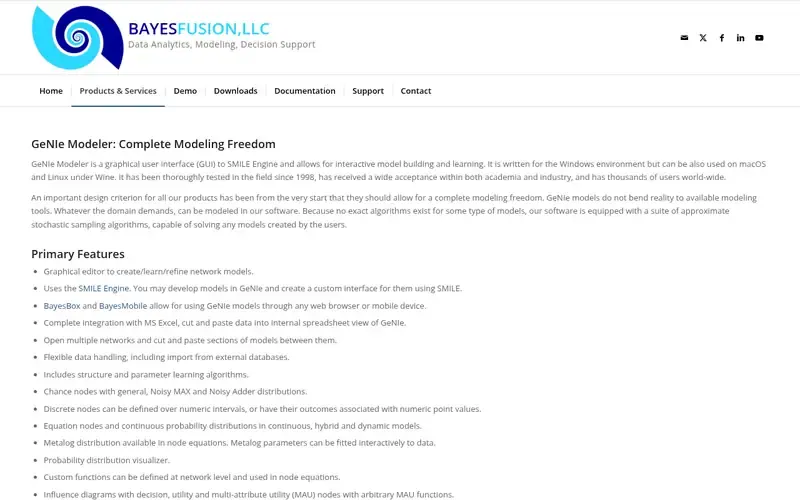
GeNIe Modeler is BayesFusion's graphical interface to the SMILE Engine for building, learning and refining decision-theoretic models such as Bayesian networks and influence diagrams.
Documented strengths
- Influence diagrams with decision, utility and multi-attribute utility nodes
- Structure and parameter learning algorithms
- Value of information that ranks possible tests and questions
- Dynamic Bayesian networks
- Excel integration and a case manager for evidence sets
Documented limits
Written for Windows; macOS and Linux use is documented under Wine only. It is aimed at modelers comfortable with Bayesian methods, so check the vendor documentation for fit with simple tree work.
- Who it is for
- Bayesian network and influence diagram modelers
- Platforms
- Windows; macOS and Linux under Wine
- Pricing
- See the vendor's own pricing page for current plans and costs. bayesfusion.com
- Facts checked
- 21 November 2026
Why it made the list: It sits mid-list because it handles influence diagrams with utility and multi-attribute utility nodes, but its core strength is probabilistic Bayesian modeling.

#5 · Expert Choice
Expert Choice
Teams prioritizing options with AHP

Expert Choice offers AHP-based collaborative decision-making (Comparion) and enterprise risk management (Riskion) software.
Documented strengths
- Comparion guides teams through objectives, priorities and a decision
- AHP eigenvector calculations turn pairwise comparisons into quantified judgments
- Real-time what-if scenarios and consensus building
- Applications in portfolio management and procurement comparisons
- Tailorable criteria, workflows, user roles and reporting
Documented limits
Documented for AHP-based prioritization and risk management, not for decision trees or influence diagrams. Platform and deployment details are not stated on the pages we checked.
- Who it is for
- Teams prioritizing options with AHP
- Platforms
- Not stated on official pages
- Pricing
- See the vendor's own pricing page for current plans and costs. expertchoice.com
- Facts checked
- 21 November 2026
Why it made the list: It is the first multi-criteria specialist on the list, built on the Analytic Hierarchy Process for team-based prioritization, with no tree or simulation modeling documented.

#6 · 1000minds
1000minds
Preference-based multi-criteria prioritization

1000minds is decision-making and conjoint analysis software that uses the patented PAPRIKA method to elicit preferences and support multi-criteria decisions.
Documented strengths
- PAPRIKA method asking one simple question at a time
- Four-step workflow: create, tailor, run and results
- Single decision-maker, group or large survey use
- AI assistant that builds decision models while the user stays in control
- Market simulator for conjoint analysis
Documented limits
Documented for multi-criteria decisions and conjoint analysis, not for decision trees or influence diagrams. Platform details are not stated on the pages we checked.
- Who it is for
- Preference-based multi-criteria prioritization
- Platforms
- Not stated on official pages
- Pricing
- See the vendor's own pricing page for current plans and costs. 1000minds.com
- Facts checked
- 21 November 2026
Why it made the list: It comes next because it focuses on multi-criteria preference elicitation for single decision-makers, groups and surveys, rather than on tree or probabilistic modeling.

#7 · Frontline Systems
Risk Solver
Excel users combining simulation and optimization
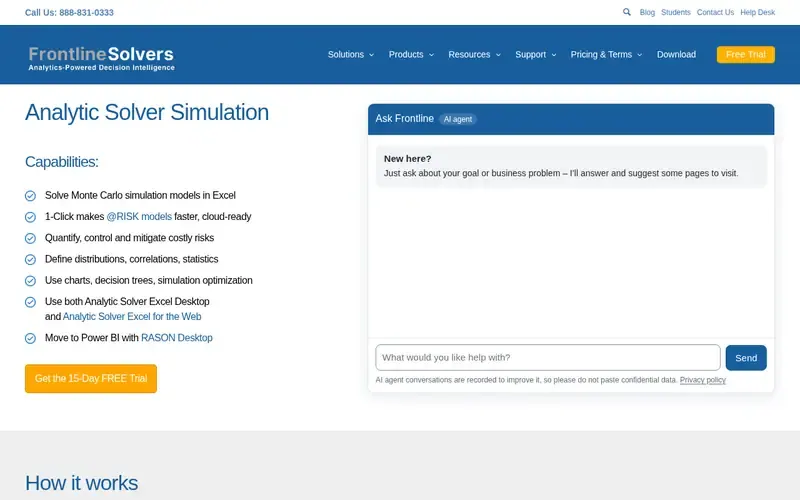
Risk Solver, now Analytic Solver Simulation plus Optimization, is Frontline Systems' Excel-based toolset for Monte Carlo simulation, risk analysis, decision trees and optimization under uncertainty.
Documented strengths
- Multi-stage decision trees inside Excel
- Monte Carlo simulation and simulation optimization
- Stochastic and robust optimization
- Sensitivity analysis on how optimal decisions change with chances and payoffs
- Built-in solver engines for up to 8,000 decision variables
Documented limits
Documented as a simulation and optimization toolset, not for multi-criteria prioritization. Larger optimization models need optional plug-in engines.
- Who it is for
- Excel users combining simulation and optimization
- Platforms
- Excel for Windows, Mac and the Web; cloud deployment with RASON
- Pricing
- See the vendor's own pricing page for current plans and costs. solver.com
- Facts checked
- 21 November 2026
Why it made the list: It closes the list because its documented strength is simulation and optimization in Excel, with multi-stage decision trees as one part of that toolset.
Side-by-side comparison
| Tool | Who it is for | Platforms | Pricing |
|---|---|---|---|
| PrecisionTreeLumivero (Palisade) | Decision analysts who work in Excel | Microsoft Excel add-in | Pricing on lumivero.com |
| TreeAge ProTreeAge Software | Health economics, legal and business decision modeling | Not stated on official pages (web sharing via TreeAge Pro Web) | Pricing on treeage.com |
| AnalyticaLumina Decision Systems | Visual, probabilistic models for analysts and consultants | All editions run on Windows; web sharing via the Analytica Cloud Platform | Pricing on lumina.com |
| GeNIe ModelerBayesFusion | Bayesian network and influence diagram modelers | Windows; macOS and Linux under Wine | Pricing on bayesfusion.com |
| Expert ChoiceExpert Choice | Teams prioritizing options with AHP | Not stated on official pages | Pricing on expertchoice.com |
| 1000minds1000minds | Preference-based multi-criteria prioritization | Not stated on official pages | Pricing on 1000minds.com |
| Risk SolverFrontline Systems | Excel users combining simulation and optimization | Excel for Windows, Mac and the Web; cloud deployment with RASON | Pricing on solver.com |
Choose by need
- PrecisionTree if you need decision analysts who work in Excel.
- TreeAge Pro if you need health economics, legal and business decision modeling.
- Analytica if you need visual, probabilistic models for analysts and consultants.
- GeNIe Modeler if you need bayesian network and influence diagram modelers.
- Expert Choice if you need teams prioritizing options with AHP.
- 1000minds if you need preference-based multi-criteria prioritization.
How this guide was built
We looked at three things: fit with structuring decisions through decision trees, influence diagrams and multi-criteria prioritization; the capabilities the vendor documents; and the deployment and platform information on official pages. Tools that combine several methods, such as trees, probabilistic models and multi-criteria techniques, sit earlier because a single tool can then serve more of a project. Tools built around one method sit later, and that is a statement about breadth, not about quality within their method.
All facts come from official vendor pages and are recorded with check dates. The order reflects editorial fit for this use case, explained in the "why here" line of each entry. The list is built from documentation, not from product trials, so we describe what vendors state and point you to their documentation where a question falls outside it. Pricing is not covered here; see each vendor's pricing page.
Order used: Ordered by breadth of decision modeling methods (trees, probabilistic models, multi-criteria), broadest first.
Common questions
Which tools here build decision trees inside Excel?
PrecisionTree works entirely inside Excel and supports decision trees and influence diagrams. Risk Solver (Analytic Solver Simulation plus Optimization) also lets users build multi-stage decision trees in Excel.
What is the difference between a decision tree and an influence diagram?
Per the vendor pages, decision trees represent decision paths and chance events with nodes and branches. Influence diagrams, as in Analytica, show relationships between decisions, uncertainties and objectives.
Which tools support multi-criteria prioritization?
Expert Choice uses the Analytic Hierarchy Process with pairwise comparisons, and 1000minds uses the PAPRIKA method. GeNIe Modeler also supports multi-attribute utility nodes within influence diagrams.
Can these tools be used for health economics?
TreeAge Pro is documented for health economics, with cost-effectiveness analysis, Markov cohort analysis and a Healthcare edition. PrecisionTree also lists medical treatment planning among its use cases.
Sources
- PrecisionTree: lumivero.com/products/decision-tools/precisiontree, lumivero.com/why-lumivero (21 Nov 2026)
- TreeAge Pro: treeage.com, treeage.com/about-us, treeage.com/products (21 Nov 2026)
- Analytica: analytica.com, analytica.com/products, analytica.com/products/buy (21 Nov 2026)
- GeNIe Modeler: bayesfusion.com/genie, bayesfusion.com/about, bayesfusion.com/product-list (21 Nov 2026)
- Expert Choice: expertchoice.com (21 Nov 2026)
- 1000minds: 1000minds.com, 1000minds.com/about, 1000minds.com/decision-making/what-is-mcdm-mcda (21 Nov 2026)
- Risk Solver: solver.com/risk-solver-platform, solver.com/mode-overview, solver.com/support-overview (21 Nov 2026)
Related guides
The editorial order is unpaid. A vendor may buy one labelled featured slot in a guide, but payment never alters another entry or removes a competitor. Featured entries get the same fact check. Logicwick is independent. Product names and trademarks belong to their respective owners.